
Blog
Caliburn G3 Issues: Complete Troubleshooting & Prevention Guide

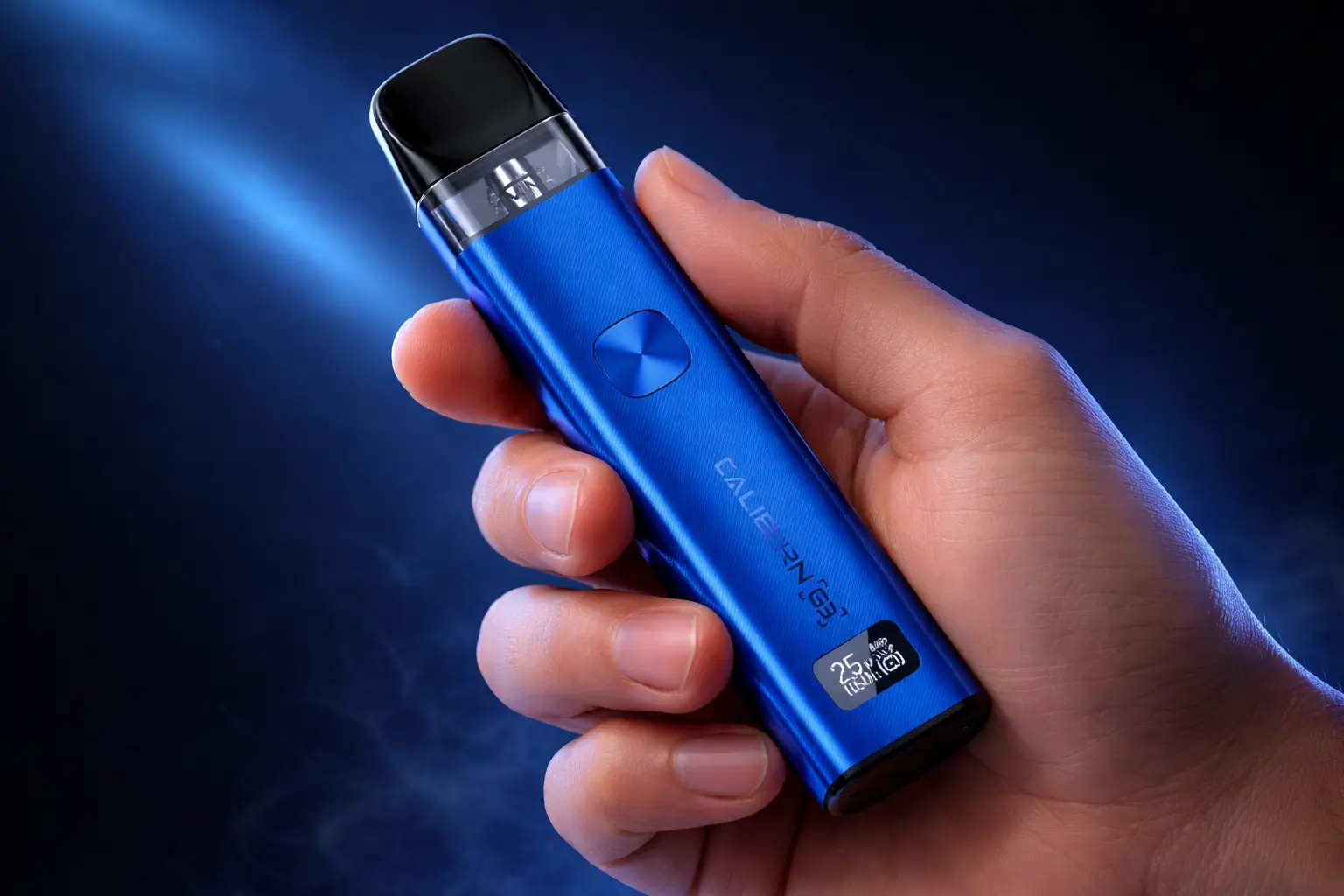
The Caliburn G3 kit from Uwell is a compact, user-friendly pod system designed for strong flavor, smooth vapor, and effortless portability. Its reliable design makes it popular with both beginners and experienced vapers.
Even the most dependable devices can encounter occasional problems, such as:
- Device not firing or pods not recognized
- Burnt taste or weak vapor
- Leaks or condensation
- Charging issues or rapid battery drain
This guide provides step-by-step troubleshooting, actionable fixes, and prevention tips to ensure your Caliburn G3 delivers the best performance every time.
Common Caliburn G3 Problems
Before troubleshooting, it’s helpful to understand the Caliburn G3’s design and features. See our full Caliburn G3 review for detailed specs, pod setup, and battery info.
Device Won’t Fire
Common Causes:
- Pod not seated correctly or dirty contacts
- Auto-draw sensor malfunction
- Damaged pod
How to Fix:
- Remove and reseat the pod until it clicks
- Clean contacts with a dry cloth
- Try the manual fire button if auto-draw fails
- Replace damaged pods (coils are built into the pod)
Tip: If the OLED shows “No Atomizer”, it usually indicates the pod isn’t fully seated, contacts are dirty, or the pod is faulty.
Auto-Draw Not Activating
- Auto-draw may fail if contacts are dirty or the pod isn’t fully clicked in.
- Fix: Use the manual fire button as a workaround. Cleaning the contacts and reseating the pod usually restores auto-draw function.
Burnt Taste or Weak Vapor
Possible Reasons:
- Improper coil priming
- Worn-out pods
- Using incompatible e-liquids (too thick or sugary)
How to Fix:
- Prime the coil before first use
- Take gentle puffs at lower wattage (Caliburn G3 supports up to 25 W; match power to pod resistance)
- Replace old pods
- Use e-liquids designed for MTL pods
Tip: Steady, consistent inhales provide the best draw.
Condensation vs Leaks
Condensation:
- Moisture may collect inside airflow channels — normal and harmless
- Fix: Wipe away regularly to maintain clean airflow
Leaks:
- The U² Anti-Leak System minimizes leakage
- Leaks can occur if:
- Pods are overfilled
- Pods are damaged or worn
- Device is stored improperly
- Tip: Fill pods to the max line and store upright
Charging Issues
Common Causes:
- Loose USB Type-C connection
- Debris in the charging port
- Using incompatible chargers
How to Fix:
- Use the official USB Type-C cable
- Clean the port carefully if debris is present
- Ensure proper connection during charging
- Avoid using third-party chargers with different voltages
Quick Battery Drain
Possible Causes:
- Continuous chain vaping
- Worn or damaged pods drawing extra power
- Device left on unnecessarily or OLED always active
How to Fix and Prevent
- Fully charge the device before use
- Avoid excessive consecutive puffs (chain vaping)
- Replace old or damaged pods
- Power off the device when not in use
Why Caliburn G3 Issues Happen
User Errors
- Incorrect pod installation
- Chain vaping without letting the coil wick properly
- Poor inhale technique for MTL pods
Coil & Pod Limitations
- Pods typically last 1–2 weeks or about 300–500 puffs, depending on:
- E-liquid type (thick or sweetened liquids shorten lifespan)
- Vaping frequency and inhale strength
- Proper priming and maintenance
Device Settings & Usage
- Always use recommended wattage for your pod’s resistance
- Start at lower wattage to avoid dry hits or premature pod burnout
- Follow manufacturer guidelines for smooth performance
Step-by-Step Troubleshooting Guide
Device & Pod Fixes
- Fully charge the device
- Reseat the pod and ensure it clicks
- Clean contact points with a dry cloth
- Replace damaged or worn pods
Flavor & Vapor Fixes
- Prime the coil before use
- Use compatible e-liquids
- Replace old or burnt pods
- Focus on steady, consistent inhales
Leak & Condensation Fixes
Condensation:
- Wipe moisture from airflow channels regularly
Leaks:
- Avoid overfilling pods
- Store device upright
- Replace cracked or damaged pods
Charging & Battery Fixes
- Ensure USB cable is correctly connected
- Clean charging port if needed
- Use the official charger
- Avoid excessive chain vaping to preserve battery
Prevention Tips for Long-Lasting Performance
Proper Pod Maintenance
- Regularly clean pods and contacts
- Ensure contacts are dry before reinserting pods
Choosing the Right E-liquid
- Use liquids compatible with MTL pods
- Avoid thick, sugary, or overly viscous liquids
Correct Usage Habits
- Avoid chain vaping
- Use proper inhale technique
- Take short pauses between puffs
Storage Best Practices
- Store upright in a dry, safe place
- Avoid heat, sunlight, and accidental drops
- Keep pods away from moisture
Key Takeaways
- Most Caliburn G3 issues can be prevented with proper care and handling
- Following troubleshooting steps ensures consistent flavor, vapor, and device longevity
- Maintaining pods, using compatible e-liquids, and proper usage guarantees the best vaping experience
FAQ – Common Caliburn G3 Issues
Why is my Caliburn G3 not hitting?
Ensure the pod is properly seated, the contacts are clean, and the device is charged. If it still doesn’t hit, use the manual fire button
Why does my Caliburn G3 taste burnt?
A: A burnt taste usually happens due to improper priming, worn pods, or using incompatible e-liquids. Replace the pod and make sure to prime it correctly before use.
How do I prevent leaks?
Avoid overfilling the pod, store it upright, and replace any damaged pods to prevent leaks. Regularly clean the airflow channels to stop condensation from building up.
Can I adjust the airflow?
Airflow is not continuously adjustable. You can choose between two draw settings by rotating the pod, offering a tighter or slightly looser MTL draw.
My device shows “No Atomizer” — what should I do?
Remove and reseat the pod, clean the contacts, and check for any damage. If the issue continues, insert a new pod.
My battery drains quickly — why?
Rapid battery drain can happen from chain vaping, worn pods, or leaving the device on. Fully charge, replace damaged pods, and avoid consecutive puffs.
My Caliburn G3 won’t charge — what now?
Check the USB connection, clean the charging port, and use the official cable. Avoid third-party chargers with different voltages.
How do I reset my Caliburn G3?
The Caliburn G3 does not have a dedicated reset button, but you can perform a simple power cycle to fix minor issues like auto-draw problems or unresponsive controls. Follow these steps:
- Remove the pod from the device.
- Click the fire button five times to power off the device.
- Wait a few seconds.
- Reinsert the pod and turn the device back on.
This power cycle clears temporary glitches. If the issue continues, check the pod connection or replace the pod.